
Arrest Records in Pinellas County
Pinellas County arrest records are split among several custodians. The Pinellas County Sheriff's Office creates reports for its patrol work in unincorporated and contract areas. St. Petersburg, Clearwater, and Largo keep reports made by their own officers. Florida Highway Patrol and campus agencies also retain their own records. PCSO creates the county jail booking record whenever an arrested person is accepted at the Pinellas County Jail, no matter which agency made the arrest.
A booking proves that a custody event occurred. It reports the accusations and holds known at intake, but it does not prove guilt. If prosecutors file charges, the Clerk opens a judicial file. Fingerprints and arrest-event data also flow to the Florida Department of Law Enforcement. A sound Pinellas County arrest search compares those records instead of treating one result as the full history.
Search PCSO Arrest Inquiry Broadly
The official PCSO Arrest Inquiry is the fastest source for current inmates and people released within the last 30 days. PCSO recommends a broad search because added fields can hide a valid match when spellings or identifiers differ. Begin with a last name, inspect likely results, and narrow only when needed.
| Search field | Use | Research note |
|---|---|---|
| Last name | Best broad starting point | Optional, but practical |
| First and middle name | Narrows common surnames | Add only as needed |
| Booking date range | Targets a recent event | Useful when date is known |
| Custody scope | Current or recently released | Release coverage is 30 days |
The official inquiry interface shown here illustrates the limited set of search fields.
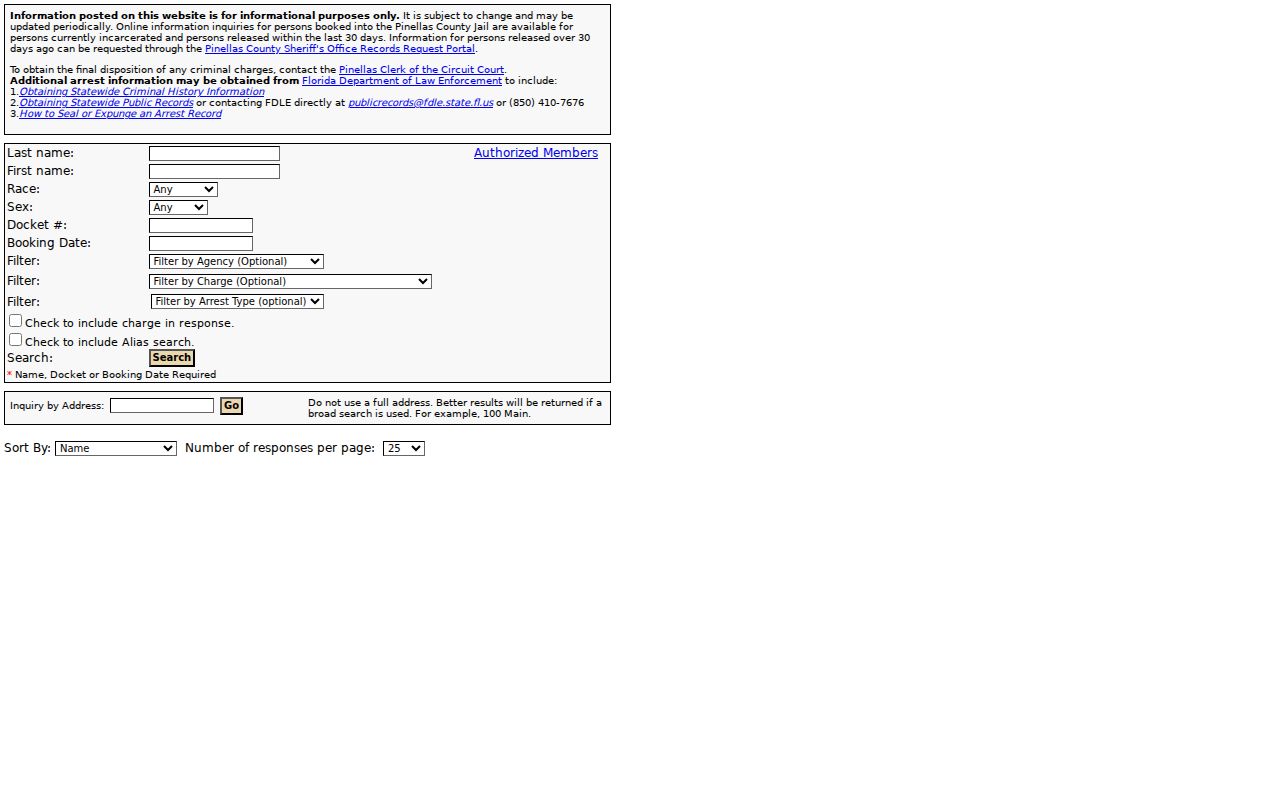
That lean form makes broad name and date searches more useful than a heavily filtered first attempt.
Pinellas County Arrest Lookups
No single channel holds every part of a Pinellas County arrest. Work outward from the most recent and specific source, and preserve booking or case numbers as you go.
- Search PCSO Arrest Inquiry by surname for a current or recent Pinellas County booking.
- Request the arrest narrative from the agency whose officer made the arrest. Ask PCSO only when PCSO is that agency.
- Use the Pinellas Clerk Court Records View to see whether prosecutors filed a case and how each count ended.
- Use FDLE CCHInet for a paid statewide name-based history, or use FDLE's fingerprint review process for a stronger personal match.
- Submit a Florida public-records request when the online booking window has closed or a needed record is not posted.
Call PCSO at 727-582-6200 for jail and records routing. An empty web result does not establish that no arrest occurred.
Older Pinellas Booking Records
A person released more than 30 days ago falls outside the public Arrest Inquiry window. The fallback is the PCSO Public Records route. Identify the subject, approximate booking or release date, and the fact that the entry is older than the online window. Add the incident, report, booking, or case number when known. A date, place, and arresting agency can also help staff locate the right file.
Florida law does not usually require a requester to state a purpose or identify themself, though a working contact address is needed for delivery and estimates. Chapter 119 permits copy and certification charges and a reasonable special-service charge for extensive labor or technology. Ask for electronic delivery when suitable. Active investigative material, juvenile information, protected victim data, medical details, and exempt identifiers may be withheld or redacted.
Arrest Records: What They Contain
Pinellas County arrest reports and booking entries overlap, but they are not the same. The officer's report can include probable cause, location, witnesses, evidence, and the basis for arrest. The jail record adds intake and custody fields.
| Booking number | Identifier for the county jail custody episode. |
|---|---|
| Date and time | Arrest, intake, and release times when public. |
| Arresting agency | The office that owns the arrest narrative. |
| Charges | Allegations or holds known at booking, not final findings. |
| Bond | Amount, type, and status by charge when posted. |
| Photograph | Published only when no exemption or order prevents release. |
| Custody status | Current detention, release, transfer, or related public status. |
Social Security numbers, protected victim information, medical screening, suicide-watch details, and precise security placement are not public profile fields.
Who Keeps Pinellas Arrest Details
A city arrest can generate both a city police report and a PCSO booking. Request the narrative from the arresting agency, then use PCSO for county jail intake data.
PCSO Public Records
10750 Ulmerton Road
Largo, FL
727-582-6200
Pinellas County Jail
14400 49th Street North
Clearwater, FL
727-582-6200
The PCSO contact directory shown here is the best place to confirm the current unit and route.
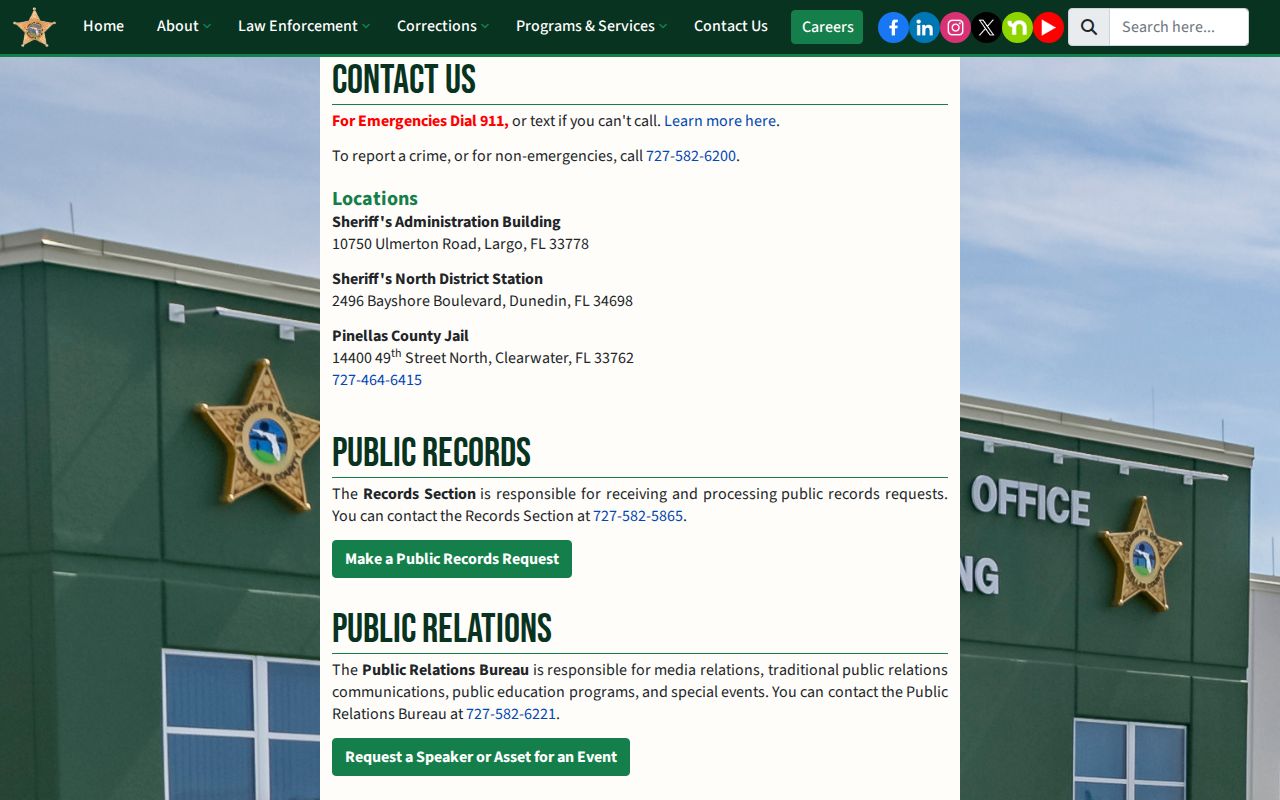
Confirm counter access before travel because operations and routing can change.
From Arrest to First Appearance
After transport, jail staff verify identity and legal authority, inventory property, photograph and fingerprint the person, create the booking number, record charges and holds, screen health and risk needs, and classify housing. Florida Rule of Criminal Procedure 3.130 generally calls for first appearance within 24 hours. A judge then reviews probable cause, counsel, and release terms.
The flow is: Arrest → Jail intake → Fingerprint reporting → First appearance → Prosecutor filing decision → Clerk case → Disposition. Website status can lag a real transfer or release. For a time-sensitive custody question, verify with PCSO rather than relying only on the screen.
Recent Pinellas County Bookings
Recent Pinellas County bookings in Arrest Inquiry can expose a booking number, booking and release dates, custody status, the arresting agency, public physical descriptors, charge text, statutory references, case or warrant references, and bond information. It is a rolling custody tool, not a permanent county arrest archive.
An entry may disappear after the release window closes. Its absence says nothing about older Pinellas County arrest records. Conversely, a visible booking photo and charge do not show that prosecutors filed the same charge or secured a conviction. Use the court case for that answer.
Note: Save the booking number before moving to agency requests or court records because it helps custodians match the same event.
City Arrests Need City Reports
St. Petersburg Police, Clearwater Police, and Largo Police retain their own arrest and incident narratives. PCSO is not the custodian merely because the person later entered the county jail. St. Petersburg's Records Counter is at 1301 First Avenue North, with assistance at 727-893-7537. Its crash reports commonly need 10 to 14 days for processing and face a 60-day statutory restriction.
The St. Petersburg Police Records page shown here sets out that city's counter and request rules.
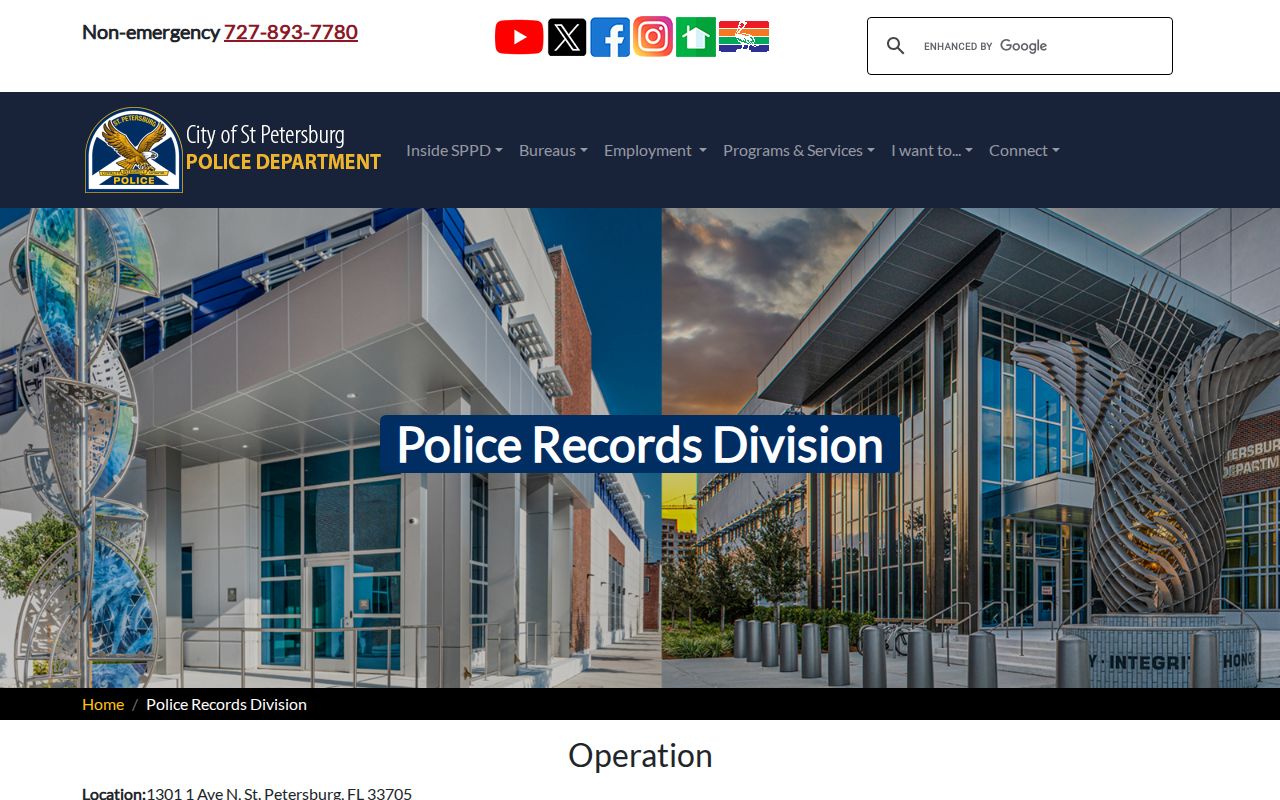
This local route supplies the officer-created narrative that a PCSO booking summary does not replace.
Clearwater Arrest Activity Checks
Clearwater Police Records, 645 Pierce Street, provides city records by online portal, phone at 727-562-4441, email at PoliceSSD-Records@myclearwater.com, and its weekday counter. Clearwater offers a $5 city-only arrest activity check. The city directs statewide criminal histories to FDLE, which underscores the limited scope of that local product.
The Clearwater records FAQ shown here explains local fees, exemptions, and request handling.
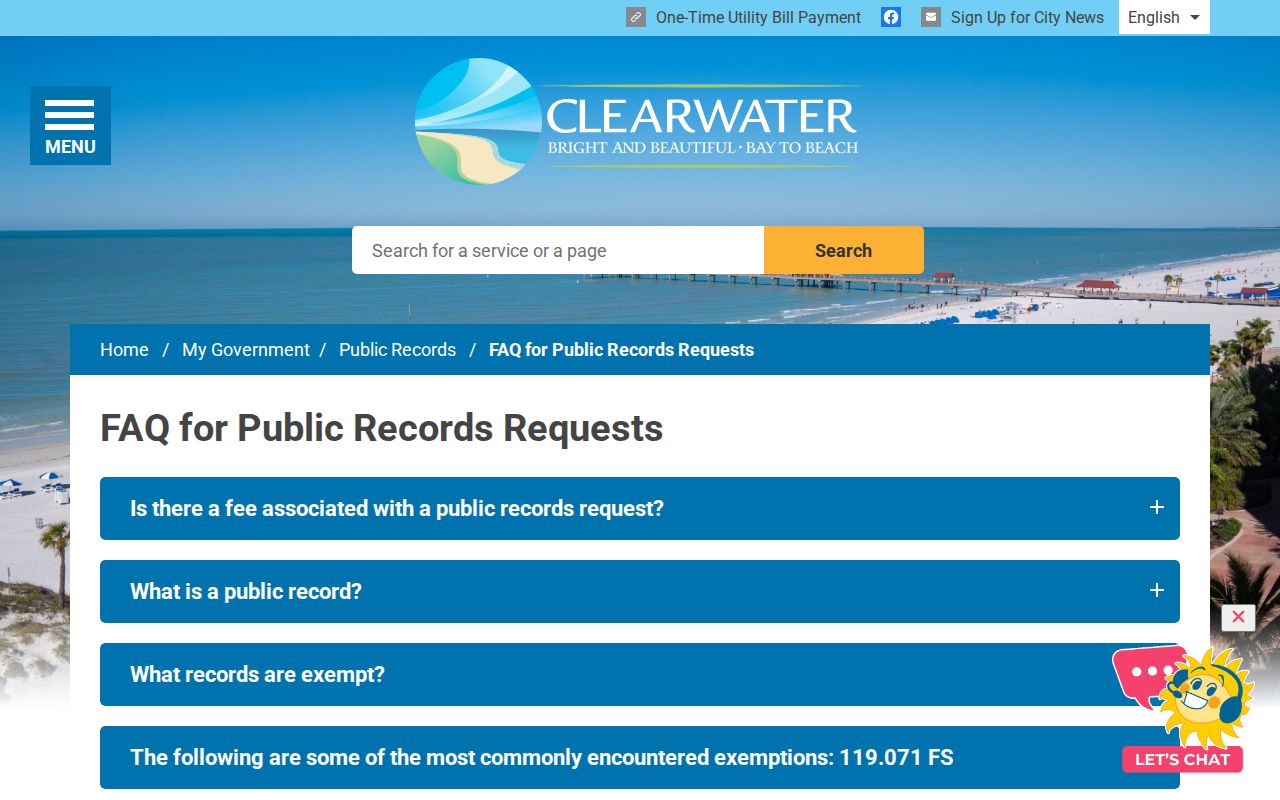
A local activity check, jail booking, court disposition, and FDLE history should not be treated as interchangeable products.
Correcting a Pinellas Arrest Cycle
A name-based FDLE result can contain several possible matches or miss an event because identifiers are incomplete. For personal review, FDLE permits a fingerprint-based record review and challenge under Florida Statute 943.056. Compare the questioned arrest cycle with the arresting agency report and a certified Clerk disposition. That evidence can show whether the wrong person, wrong charge, or missing outcome caused the mismatch.
Do not ask the jail to change a court result or the Clerk to rewrite an agency narrative. Send the correction to the custodian of the incorrect field. Sealed, expunged, juvenile-confidential, and exempt records may also explain why one system shows less than another.
Arrest Records vs Conviction Records
The two records arise at different points and prove different facts. A Pinellas County booking shows custody and recorded allegations. A conviction requires a court outcome.
| Point | Arrest record | Conviction record |
|---|---|---|
| Creator | Arresting agency and jail | Court and Clerk |
| Meaning | Arrest or booking occurred | Guilt was adjudicated |
| Primary source | Agency report or PCSO booking | Clerk case and certified disposition |
| Possible end | Release or no filed charge | Sentence, appeal, sealing, or later relief |
A prosecutor may decline, reduce, or change the booking charge. The Pinellas County Court Case Lookup is therefore the better source for filed counts and final disposition.
Note: An arrest is not proof of guilt, and many bookings do not lead to a conviction on the charge first recorded.
Pinellas Booking Details Can Change
A Pinellas County booking begins with the charges and holds known when jail staff accept the person. That snapshot can change soon after intake. At first appearance, a judge reviews probable cause and release conditions. The State Attorney later decides whether to file the same count, a reduced or enhanced count, a different charge, or no charge. A Clerk case number may therefore appear after the booking number, and the court's charge wording may not match the initial jail text. Readers tracing an arrest should record both identifiers and compare dates, statutes, and arresting agency rather than assume a small wording difference means a separate event.
Bond information can change as well. Arrest Inquiry may display an amount, type, and status for each charge, but later judicial orders control release. A transfer, release, or new hold may occur before a public screen refreshes. PCSO at 727-582-6200 is the right source for a time-sensitive custody check. The Clerk docket is the better source for a later bond order and the prosecution's filed counts. Neither source alone supplies the arresting officer's full probable-cause narrative.
Public access also has firm limits. Juvenile arrest material is generally confidential under Florida Statute 985.04, subject to statutory felony-related exceptions. Active investigative information, protected victim details, medical data, and exempt identifiers may be withheld or redacted. A missing field can reflect a legal restriction rather than a system error. Ask the custodian to identify the exemption when part of a responsive public record is withheld.
Note: Match the booking number, Clerk case number, agency report number, and FDLE arrest cycle before asking any office to correct a record.